Should you update GPU drivers every month? For most setups, the honest answer is no, not on a fixed schedule. NVIDIA and AMD push out new drivers almost monthly, sometimes more often around big game launches, and it’s easy to assume that skipping one means leaving performance on the table. In reality, updating your GPU drivers every month can do more harm than good if you’re not doing it for the right reason.
This guide breaks down what GPU drivers actually do, when a monthly update makes sense, when it doesn’t, and how to update safely without breaking a setup that’s already working fine. If you’re weighing a driver update because you’re eyeing new hardware, our latest GPU and PC build reviews are a good next stop.
What GPU Drivers Actually Do
A GPU driver is the software layer that lets your operating system and games talk to your graphics card. It translates game code into instructions the hardware can execute, and it’s also where a huge chunk of performance optimization happens. When a new AAA title launches, driver updates often include game-specific tweaks that can boost frame rates by a noticeable margin, sometimes 10 to 20 percent in the first patch alone.
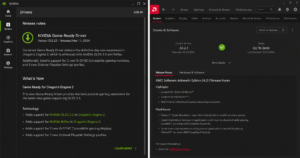
Drivers also handle bug fixes, security patches, and support for new features like frame generation or ray tracing improvements. NVIDIA’s Game Ready Drivers and AMD’s Adrenalin updates both follow this pattern: broad compatibility fixes bundled with game-specific optimizations.
Monthly Driver Updates: Pros and Cons
| Updating Every Month | Updating Only When Needed |
|---|---|
| Pro: Always have the latest game-specific optimizations | Pro: Lower risk of a bad driver breaking a stable setup |
| Pro: Immediate access to new features (DLSS, FSR updates) | Pro: Less time spent reinstalling and reconfiguring settings |
| Con: Higher chance of hitting an untested bug or regression | Con: May miss early optimizations for a game you start playing |
| Con: Driver bloat builds up faster with frequent reinstalls | Con: Requires actually checking changelogs to know when to act |
| Con: Interrupts stable setups for gains you may not notice | Pro: Matches how most competitive and professional users operate |
 Why You Shouldn’t Update GPU Drivers Every Month by Default
 Why You Shouldn’t Update GPU Drivers Every Month by Default
Here’s the part most guides skip: if your system is stable and you’re not playing anything new, there’s often little reason to update on a fixed monthly schedule. A driver that’s working well with your current game library isn’t doing anything wrong just because a newer version exists.
Updating for the sake of updating introduces risk without a matching reward. Every driver release goes through vendor testing, but it’s impossible to test against every hardware and software combination in the wild. That’s how you end up with driver updates causing stuttering, crashes, or black screens on setups that were running perfectly the week before.
There’s also driver bloat to consider. Both NVIDIA and AMD have added more background services, overlays, and telemetry into their driver packages over the years. Updating monthly without cleaning up old versions can leave orphaned files and settings that slow down install times and occasionally cause conflicts.
When You Should Update
Skipping updates entirely isn’t the answer either. There are specific situations where installing the newest driver is worth doing right away.
- A new game you’re playing just launched. Game Ready or Day-0 drivers frequently unlock meaningful performance gains and fix crashes specific to that title.
- You’re experiencing a bug the current driver doesn’t fix. Stuttering, artifacting, or crashes tied to a specific driver version are often patched in the next release.
- A security vulnerability has been disclosed. GPU drivers occasionally carry patches for security flaws, and these are worth applying promptly.
- You’ve just installed new hardware or reinstalled your OS. Starting with the latest stable driver avoids compatibility gaps from older releases.
- A driver update specifically targets a feature you use, such as improved DLSS or FSR support for your card.
When You Should Wait
If none of the above apply, it’s reasonable to hold off. A few signs that waiting is the smarter choice:
- Your current games run at stable frame rates with no visual glitches.
- The new driver’s changelog doesn’t mention your GPU model or the games you play.
- You’ve seen early user reports of issues with the new release on forums like Reddit’s hardware communities or your GPU vendor’s own forums.
- You’re in the middle of an important project, stream, or tournament where stability matters more than marginal gains.
A good middle ground many enthusiasts use is checking release notes every month without necessarily installing every version. Update when the notes mention something relevant to you, and skip the ones that don’t.
NVIDIA vs AMD: Driver Release Habits Compared
| NVIDIA | AMD | |
|---|---|---|
| Release name | Game Ready Driver / Studio Driver | Adrenalin Edition |
| Typical frequency | Every 2 to 4 weeks, more around major launches | Similar cadence, often tied to major game releases |
| Clean install option | Yes, built into installer | Yes, built into Adrenalin software |
| Rollback support | Yes, via Device Manager or NVIDIA app | Yes, via Adrenalin driver history |
| Best for | Frequent Game Ready patches, DLSS updates | Frequent Adrenalin feature updates, FSR support |
How to Update GPU Drivers Safely (Without Doing It Every Month)
If you do decide to update, a few habits reduce the odds of running into trouble.
- Read the changelog first. Both NVIDIA and AMD publish release notes listing fixed issues, known issues, and game-specific optimizations.
- Use a clean install when switching major versions. NVIDIA’s installer and AMD’s Adrenalin software both offer a clean install option that removes old driver files before installing the new one.
- Create a restore point before major updates, especially if you’re on Windows and haven’t updated in a while.
- Avoid updating right before something important, like a competitive match, exam deadline, or work presentation.
- Roll back if something breaks. Both vendors let you revert to a previous driver version through Device Manager or their control panel software if the new one causes problems.
The Bottom Line
If you were wondering whether you need to update GPU drivers every month, the short version is: only when there’s a reason to. It isn’t a rule you need to follow blindly. Update when there’s a game, bug, or feature that actually calls for it, and feel free to skip releases that don’t apply to your setup. The goal isn’t the newest driver number, it’s the most stable and performant one for what you’re actually running.
FAQ
Does skipping a GPU driver update hurt performance?
Not on its own. Performance stays the same until a new game or feature specifically benefits from a newer driver’s optimizations.
Is it bad to update GPU drivers too often?
It’s not inherently harmful, but frequent updates increase the chance of hitting a release with bugs, and they add unnecessary reinstall time if nothing in the update applies to you.
How do I know if a driver update is safe to install?
Check the changelog for your specific GPU model and games, and look at recent user reports on vendor forums or subreddits before installing, especially for major version jumps.
Should gamers use NVIDIA’s Game Ready Drivers or the Studio Driver?
Game Ready Drivers are optimized for the latest game releases, while Studio Drivers prioritize stability for creative applications. Gamers should generally stick with Game Ready unless they also do heavy content creation work.
