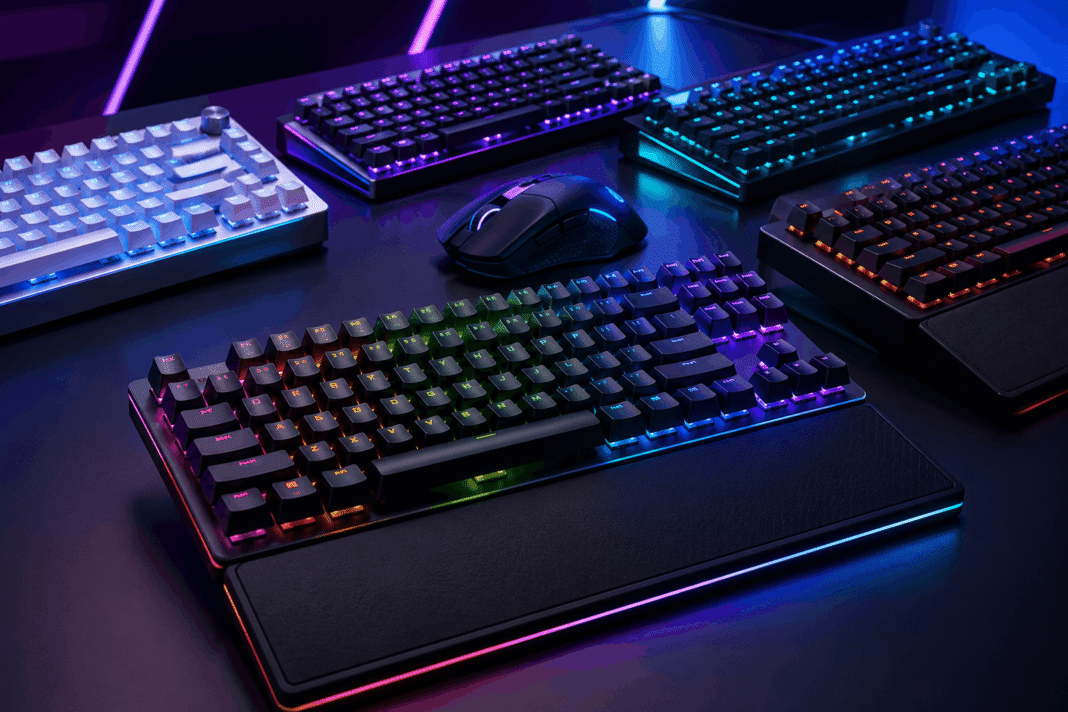
Finding the best gaming keyboards 2026 has to offer is not as simple as it used to be. There are more switch types than ever, including mechanical, optical, magnetic (Hall effect), and inductive (TMR) switches, and each one changes how the keyboard feels and performs. This guide breaks down the best gaming keyboards 2026 has on offer across different budgets and needs, based on testing from trusted hardware sites like RTINGS, so you can pick a keyboard that actually matches how you play. If you’re also comparing other gear, check out our full reviews section for more buying guides.
How to Choose the Best Gaming Keyboard for 2026
Before jumping to picks, a few things matter more than RGB lighting or brand name:
Switch type. Magnetic (Hall effect) and inductive switches let you adjust actuation distance. This means you can set exactly how far you need to press a key before it registers. They also support rapid trigger, a feature that resets a keypress the instant you let go, even by a tiny amount. This gives a real edge in fast, competitive games. Traditional mechanical switches (linear, tactile, or clicky) still feel great to type on, and many gaming keyboards now use hot-swappable sockets so you can change switches yourself without soldering anything.
Form factor. Full-size boards keep the number pad. Tenkeyless (TKL) boards drop it to give you more room for your mouse. 65% and 60% layouts go even smaller, trading away dedicated arrow keys and a function row for extra desk space. Competitive players often prefer these smaller layouts because they free up more room for mouse movement.
Polling rate. Higher polling rates (2,000Hz, 4,000Hz, or 8,000Hz) reduce the time between a keypress and when your PC registers it. In practice, most people, even competitive gamers, will not notice a meaningful difference above 1,000Hz. That’s because keyboards do not track continuous motion the way a mouse does. Think of it as a nice bonus, not something you need to chase.
Software. A keyboard’s companion app determines how easily you can remap keys, adjust actuation points, record macros, and manage lighting profiles. Some of the best software on the market right now includes Wooting’s Wootility and Corsair’s iCUE.
Best Overall: Wooting 80HE
The Wooting 80HE has topped multiple 2026 buying guides, largely thanks to its magnetic switches that let you adjust actuation distance on a per-key basis. That flexibility means you can set feather-light actuation for fast games and a heavier point for typing accuracy, all from the same board. Its Wootility software is widely regarded as one of the most capable and easy-to-use configuration tools in the category.
Best for: Gamers who want maximum control over how every key behaves, and are willing to pay a premium for it.
Best Value: Corsair Vanguard Pro 96
The Corsair Vanguard Pro 96 offers Hall effect switches and a 96% layout for less than comparable Asus models, without giving up much in day-to-day performance. It’s a solid pick if you want adjustable-actuation magnetic switches without paying flagship prices.
Best for: Buyers who want magnetic-switch performance without the highest-end price tag.
Best Premium 96% Layout: Asus ROG Strix Morph 96 / Scope II 96 Wireless
Asus’s Strix line continues to be a benchmark in the 96% wireless category. The Morph 96 is a successor to the well-regarded Strix Scope II 96 Wireless, keeping the hot-swappable switches, gasket-mount design, and multiple connectivity options (wired, 2.4GHz wireless, and Bluetooth) that made the earlier model a favorite.
Best for: Gamers who want a compact-but-full-featured board with flexible connection options.
Best for Competitive Input Speed: Razer Huntsman V3 TKL 8KHz
The Huntsman V3 TKL 8KHz polls at 8,000Hz. Most keyboards poll at around 1,000Hz, so this is a big jump, aimed at cutting the odds of a keypress being mistimed or missed. It also uses Razer’s latest linear optical switches and the brand’s usual solid build quality. You can get it in TKL or full-size versions.
Best for: Competitive players who want the fastest possible input response, even if the real-world difference above 1,000Hz is small for most people.
Best Compact (65%): NZXT Function 2 Mini
The Function 2 Mini packs a 65% layout (no number pad and a minimal function row) into an all-black design that frees up extra room for mouse movement. It uses optical switches with variable, per-key actuation and shine-through keycaps for visibility in dim lighting, making it a clear step up from NZXT’s original Function Mini.
Best for: Small-desk setups and players who prioritize mouse space over dedicated navigation keys.
Best Mid-Range Wireless: Logitech G515 Rapid TKL
The Logitech G515 Rapid TKL is a lightweight, wireless TKL board with Logitech’s Key Priority and Multipoint Action features, aimed at keeping gaming performance smooth without a full-size footprint. It lists at $169.99 in the US.
Best for: Wireless-first gamers who want a slimmer board without giving up gaming-focused features.
Best Budget Pick: Gamakay X NaughShark NS68
For shoppers on a tighter budget, the Gamakay X NaughShark NS68 has been highlighted by testers as a standout low-cost option, offering magnetic switches and a fast polling rate well below the price of most flagship boards.
Best for: Anyone who wants magnetic-switch rapid trigger performance without a premium price.
Best Gaming Keyboards 2026: Switch Type Quick Reference
| Switch Type | Feel | Best For |
|---|---|---|
| Mechanical (linear) | Smooth, no bump | Fast, quiet gaming |
| Mechanical (tactile/clicky) | Bump, audible click | Typing feedback |
| Optical | Fast light-based actuation | Competitive gaming |
| Magnetic (Hall effect) | Adjustable actuation, rapid trigger | Precision and customization |
| Inductive (TMR) | Similar to Hall effect, often more durable | Long-term reliability |
Best Gaming Keyboards 2026: Frequently Asked Questions
Do I need an 8,000Hz polling rate keyboard?
Most players won’t notice a practical difference above 1,000Hz on a keyboard, since keys aren’t tracking continuous motion the way a mouse does. It matters more for mice than keyboards. Unless you’re a top-tier competitive player chasing every fraction of a millisecond, it’s a nice extra rather than a requirement.
What’s the difference between Hall effect and mechanical switches?
Mechanical switches use a physical contact point to register a keypress, while Hall effect (magnetic) switches detect the position of a magnet as the key travels, allowing the actuation point to be adjusted in software. This also enables rapid trigger, where a key can reset the instant it starts moving back up.
Is a smaller keyboard actually better for gaming?
Not universally, but 65% and TKL layouts are popular with competitive players because they free up desk space for mouse movement. If you rely on a number pad or function row for other tasks, a full-size or 96% layout may suit you better.
Do I need special software for a gaming keyboard?
Only if you want to customize actuation points, remap keys, or create macros. Out-of-the-box, most gaming keyboards work fine without installing anything extra.
Looking for more gaming gear picks and the latest updates? Visit the Igamivo homepage for our newest guides, news, and reviews.
