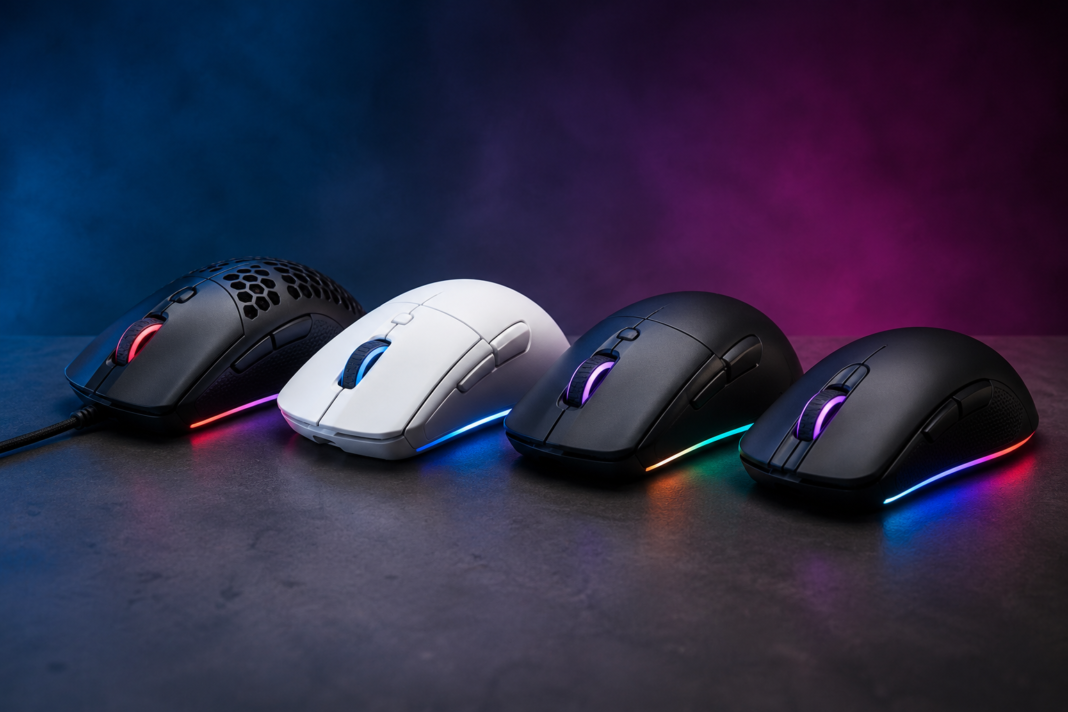
Picking the best gaming mouse 2026 has to offer comes down to three things: sensor accuracy, weight and shape, and how reliable the wireless connection actually feels mid-match. This guide skips the spec-sheet noise and focuses on mice that back up their claims with real testing data from RTINGS’ mouse testing lab, PC Gamer, Tom’s Hardware, and manufacturer documentation. For more hands-on picks across every category, check out igamivo’s gaming gear reviews.
Every pick below lists the exact sensor, DPI ceiling, polling rate, weight, and price, along with who each mouse actually suits. A $180 flagship is not the right call for a casual player, and a featherweight 49g esports mouse is not the right call for someone who grinds MMOs for six hours a night. The picks are organized by use case so you can jump straight to the category that matches how you play.
How These Gaming Mice Were Selected
Five factors decided the rankings on this list. Sensor accuracy matters most: a mouse needs to track 1:1 without jitter, smoothing, or acceleration artifacts at the DPI a person actually uses, not the marketing-friendly maximum. Weight and balance affect fatigue over long sessions and how quickly a mouse can be flicked during fast aim corrections.
Shape and grip compatibility decide whether a mouse fits palm, claw, or fingertip grip styles, since a mouse that fits perfectly for one grip can feel wrong for another. Click responsiveness covers switch type, actuation feel, and latency. Wireless reliability covers whether the connection holds up under real gaming conditions rather than just in a lab test.
Best Gaming Mouse Overall: Logitech G Pro X2 Superstrike $179.99
The Logitech G Pro X2 Superstrike earns the overall top spot because it changes how the click itself works. Instead of traditional mechanical switches, it uses a Haptic Inductive Trigger System (HITS) that lets players set the actuation point across 10 steps within a 0.65mm button travel distance, tuned through Logitech’s G Hub software. That means a player can set clicks to register with a very light touch instead of waiting for a full mechanical press.
Under the hood sits Logitech’s HERO 2 sensor, rated for up to 44,000 DPI, 888 IPS tracking speed, and 88G of acceleration, with zero smoothing or artificial acceleration in testing. The mouse weighs 59 to 61 grams depending on which puck is fitted, connects over Logitech’s LIGHTSPEED wireless with polling up to 8,000Hz, and delivers roughly 90 hours of battery life at 1,000Hz. It ships with five programmable buttons in a symmetrical, right-hand-friendly shape.
The tradeoffs are real. There is no RGB lighting, no onboard profile storage, and no left-handed thumb buttons, so left-handed players relying on side-button macros should look elsewhere. At $179.99, it is also priced at the top of the market. It has been adopted on-stage by esports organizations including G2 Esports, NAVI, and BLG across CS2, Valorant, and League of Legends, which reflects real competitive trust rather than just marketing.
Buy it if: you want the most advanced click-tuning available and don’t mind paying flagship pricing for it.
Skip it if: you need RGB lighting, onboard profile storage, or a mouse under $150.
Best FPS Gaming Mouse: Razer Viper V4 Pro $159.99
For competitive shooters specifically, the Razer Viper V4 Pro is the stronger pick. It weighs just 49 grams, a six-gram drop from its predecessor that testers describe as immediately noticeable in fast flick-based aiming. The symmetrical shape suits claw and fingertip grips best and remains right-hand oriented, with no left-handed version available.
The sensor is Razer’s new Focus Pro 50K Gen-3 optical sensor, tracking up to 50,000 DPI, 930 IPS, and 90G of acceleration. In practice, over 99% of tracked professional players use a DPI setting of 1,600 or lower, so the headline DPI number matters far less than tracking consistency, which testers rated as flawless across surfaces. Gen-4 optical switches are rated for 100 million clicks with no debounce delay.
Battery life is a genuine strength here: 180 hours at 1,000Hz polling, or roughly 45 hours if pushed to the full 8,000Hz mode, nearly double what the Superstrike offers at the same top polling rate. The mouse connects via Razer’s HyperSpeed Wireless Gen-2 dongle or USB-C wired, and is one of the first Razer mice supported by the company’s new browser-based Synapse Web configuration tool. The one recurring criticism across reviews is that the Gen-4 optical switches click noticeably louder than most competitors, which matters for streamers or shared-room setups.
Buy it if: you play fast-paced competitive shooters and want the lightest mouse with genuinely flawless tracking.
Skip it if: click noise bothers you, or you stream with an open mic nearby.
Best Lightweight Wireless Mouse: Glorious Model O3 Wireless $159.99
The Glorious Model O3 Wireless stands out for one specific reason: its InfinitePlay swappable battery system. Instead of waiting for a wired charge, players slide in a fresh 200mAh battery pack with no cable required, which practically eliminates mid-session downtime. RTINGS independently confirmed 71 hours of battery life in 2.4GHz mode per charge.
It runs Glorious’s BAMF 3.0 30K sensor, covering a 50 to 30,000 DPI range at up to 750 IPS and 50G of acceleration, with wireless polling up to 8,000Hz. Weight comes in at 66 grams with the battery installed, 59 grams without, and the fully symmetric shape works across grip styles for both right- and left-handed players, which is rare at this price tier. Connectivity covers 2.4GHz wireless, Bluetooth, and wired USB-C.
Reviewers have also noted that the O3 Wireless keeps more RGB lighting than most lightweight, high-end mice typically offer, which is a deliberate design choice from Glorious rather than an oversight.
Buy it if: battery anxiety during long sessions is a real concern, or you need a shape that works for both hands.
Skip it if: you want the absolute lowest weight possible; the Viper V4 Pro and other sub-50g mice go lighter.
Best Budget Gaming Mouse: Logitech G305 X Superlight $79.99
Logitech refreshed its long-running budget favorite with the G305 X Superlight, launched June 30, 2026. It keeps the familiar egg-shaped shell but cuts weight down to 59 grams, a major drop from the 99-gram original, while adding a HERO 44K sensor rated for 44,000 DPI, 678 IPS, and 40G of acceleration.
Connectivity is tri-mode: LIGHTSPEED 2.4GHz wireless, Bluetooth, and wired USB-C. Battery life is rated at over 130 hours, and a two-minute fast charge delivers roughly 3.5 hours of play. The base connection runs at 1,000Hz polling; hitting the full 8,000Hz requires Logitech’s optional Pro Wireless Receiver, sold separately. It ships with six programmable buttons and a small RGB accent under the scroll wheel, and Logitech built it with 51 to 65% recycled plastic and exposed screws for easier repairs.
At $79.99, it costs $20 more than the outgoing G305, and reviewers have pointed out that lesser-known budget alternatives now match its weight and base specs for roughly half the price. What it does offer over those alternatives is Logitech’s software ecosystem, established reliability, and a shape that has stayed comfortable across eight years on the market.
Buy it if: you want a trusted brand, a proven compact shape, and don’t need 8,000Hz polling out of the box.
Skip it if: budget is the only factor; cheaper mice now match its core specs.
Best MMO Gaming Mouse: Razer Naga V2 Pro $179.99
Players who need buttons for ability rotations rather than raw flick speed should look at the Razer Naga V2 Pro. It ships with three magnetic, swappable side plates in 2-button, 6-button, and 12-button layouts, giving access to up to 19+1 programmable buttons total. Plates snap on and off in seconds without tools.
The sensor is Razer’s Focus Pro 30K optical sensor, rated for 30,000 DPI with reliable tracking on glass surfaces. Gen-3 optical switches rate for 90 million clicks with 0.2ms actuation and no debounce delay. A standout feature is the HyperScroll Pro Wheel, which lets players adjust scroll tactility and resistance, useful for both precise weapon switching in shooters and rapid-fire inputs in MMOs.
Battery life reaches 150 hours over HyperSpeed wireless or 300 hours over Bluetooth, with USB-C charging and optional Qi wireless charging through Razer’s separately sold Mouse Dock Pro. The tradeoff for all that flexibility is weight and a fixed right-handed ergonomic shape, so competitive FPS players chasing the lowest possible weight should look at the Viper V4 Pro instead.
Buy it if: you regularly switch between MMOs, MOBAs, and shooters and want one mouse that adapts to all three.
Skip it if: you exclusively play fast FPS titles where every gram of weight counts.
Best Value Gaming Mouse: Glorious Model O Eternal $39.99
For anyone who wants solid performance without spending close to $100, the Glorious Model O Eternal is the strongest value pick available. It weighs 55 grams, runs a 12K optical sensor covering 50 to 12,000 DPI at 1,000Hz, and has built a strong reputation for feel and build quality that punches well above its $39.99 price point.
It won’t match the sensor ceiling or polling rate of the flagship picks above, and it lacks 8,000Hz wireless polling entirely. For casual and mid-level competitive play, though, reviewers consistently note that it delivers comfort and reliable tracking without the compromises that usually come with budget hardware.
Buy it if: cost is the deciding factor and you don’t need 8,000Hz polling or a 30K+ DPI sensor.
Skip it if: you compete at a high level where every latency advantage matters.
How to Choose a Gaming Mouse in 2026
Sensor and DPI: Why the Max Number Barely Matters
DPI measures how far the cursor moves on screen relative to physical hand movement. Manufacturers now advertise sensors capable of 30,000 to 50,000 DPI, but that ceiling is mostly irrelevant in practice. ProSettings’ pro player usage data shows that over 99% of tracked professional players use 1,600 DPI or lower. What actually matters is tracking consistency: a good sensor moves 1:1 with the hand at all speeds, without jitter, smoothing, or unwanted acceleration.
Polling Rate: When 8,000Hz Actually Helps
Polling rate determines how often the mouse reports its position to the computer. A standard 1,000Hz mouse reports every millisecond. An 8,000Hz mouse reports every 0.125 milliseconds, capturing fast micro-corrections with more fidelity. In blind testing by Tom’s Hardware, reaction times barely changed between 1,000Hz and 8,000Hz for most players, though tuning the actuation point made a measurable difference. High polling rates also drain battery faster, so it’s worth treating 8,000Hz as a nice-to-have rather than a requirement.
Weight and Shape: This Matters More Than Any Spec
Grip style decides comfort more than any single spec on this list. Palm grip players who rest their whole hand on the mouse generally prefer a slightly heavier, more contoured shape, such as the Basilisk V3 Pro or Naga V2 Pro. Claw grip players, who arch their fingers, tend to favor mid-weight symmetrical shapes like the Viper V4 Pro. Fingertip grip players who only touch the mouse with fingertips usually want the lightest option available, which points toward the Viper V4 Pro or Model O3 Wireless.
Wired vs Wireless in 2026
Wireless gaming mice have effectively closed the latency gap with wired mice. Every top pick on this list uses a 2.4GHz dongle rather than Bluetooth for competitive play, since Bluetooth still introduces more latency than a dedicated wireless receiver. Wired connections remain relevant mainly as a charging-while-playing option or for players who want to eliminate any wireless variable entirely.
Frequently Asked Questions
What is the best gaming mouse overall in 2026?
The Logitech G Pro X2 Superstrike is the best gaming mouse overall in 2026, combining a flawless HERO 2 sensor with adjustable haptic click actuation. It costs $179.99 and weighs 59 to 61 grams.
Is a lighter gaming mouse always better?
No. Lighter mice help with fast flick movements and reduce fatigue, but grip style matters more. Palm grip players often prefer a slightly heavier, more contoured mouse for stability over long sessions.
Do I actually need an 8,000Hz polling rate?
Most players won’t notice a meaningful difference over standard 1,000Hz polling. Testing shows reaction times change very little between the two, and higher polling rates drain battery life faster.
What DPI should I use for gaming?
Most competitive players use 800 to 1,600 DPI regardless of how high a sensor’s maximum rating goes. Tracking consistency at your chosen DPI matters far more than the sensor’s advertised ceiling.
Is a wireless gaming mouse as fast as a wired one in 2026?
Yes, for 2.4GHz wireless connections. Modern wireless dongles from Logitech, Razer, and Glorious match wired latency in testing. Bluetooth connections remain slower and are better suited to non-competitive use.
Final Verdict
There is no single best gaming mouse for everyone, but there is a clear best pick for each type of player. Competitive players chasing the most advanced click technology should get the Logitech G Pro X2 Superstrike. FPS players who want the lightest possible flawless-tracking mouse should get the Razer Viper V4 Pro. Players worried about battery life mid-session should look at the Glorious Model O3 Wireless, MMO and multi-genre players should get the Razer Naga V2 Pro, and anyone on a tight budget can’t go wrong with the Glorious Model O Eternal.
Whichever mouse you pick, match it to grip style and game genre first, and treat DPI and polling rate specs as secondary. The mouse that fits your hand and play style will always outperform the one with the biggest numbers on the box
